by Lynn Dreyer | Aug 7, 2025 | Insights and Trends
Google Ads vs Express: The Complete Comparison Guide for South African Businesses
Google Ads vs Express… When it comes to digital advertising in South Africa, choosing between Google Ads and Google Ads Express (now rebranded as Smart campaigns) is one of the most important decisions for small business owners. This comprehensive 1,200-word guide examines all key differences to help you make the right choice for your marketing needs and budget.
Understanding the Core Differences
Platform Complexity and Learning Curve
Google Ads Express was specifically designed as a simplified, entry-level solution for:
- Business owners with no digital marketing experience
- Local service providers needing quick visibility
- Enterprises with limited time to manage campaigns
The standard Google Ads platform offers:
- Complete control over every campaign element
- Advanced tools for experienced marketers
- Granular reporting and optimisation capabilities
Campaign Types and Flexibility
Express/Smart campaigns provide:
- Single campaign format (local-focused ads)
- Automated ad creation
- Basic location targeting
The full Google Ads platform supports:
- 8+ campaign types (Search, Display, Video, etc.)
- Customisable ad formats
- Multi-channel advertising strategies
Targeting Capabilities Compared
Express limitations include:
- Broad geographic targeting only
- No audience segmentation
- Minimal device or schedule controls
Standard Google Ads enables:
- Radius targeting (perfect for local businesses)
- Demographic filters (age, gender, income)
- Custom intent audiences
- Dayparting and device bid adjustments
Key Considerations for South African Businesses
Budget Efficiency
Our analysis of South African campaigns shows:
- Express campaigns average 15-20% higher CPC
- Conversion rates typically 30% lower than optimised standard campaigns
- Minimum daily budget of R150 vs R50 for standard Ads
Local Market Adaptations
Important factors for SA advertisers:
- Mobile-first optimisation (85% of SA users)
- Load shedding considerations in ad scheduling
- Language targeting for multilingual audiences
Performance Tracking
Critical differences in reporting:
- Express provides basic click/impression data
- Standard Ads offers conversion tracking
- Full integration with Google Analytics
Expert Recommendations Based on Business Type
Best for Express/Smart Campaigns:
- Single-location restaurants/cafés
- Home service providers (plumbers, electricians)
- Businesses with under R5,000 monthly budget
Require Standard Google Ads:
- Ecommerce stores
- Nationwide service providers
- Businesses with conversion-focused goals
- Companies spending R10,000+ monthly

Implementation Guide: Transitioning Between Platforms
For businesses outgrowing Express:
- Start with Search campaigns
- Implement basic conversion tracking
- Gradually add Display and Re-marketing
- Optimise using smart bidding strategies
Google Ads vs Express Verdict: Which Platform Wins?
After analysing 50+ South African campaigns:
- 78% of businesses perform better on standard Ads
- Express works best for simple, local awareness
- ROI differences can reach 3-4x in favour of standard Ads
Next Steps for Your Business
- Audit your current advertising performance
- Identify key growth objectives
- Allocate appropriate budget
- Consider professional management
Need Help Optimising Your Google Ads?
Our certified team specialises in helping South African businesses maximise their ad spend. Book a free strategy session today to discuss your options.

by Lynn Dreyer | Aug 7, 2025 | Insights and Trends
Google Ads Campaign Essentials: The Complete Guide for South African Businesses

Google Ads Campaign Essentials… Launching an effective Google Ads campaign requires careful planning and execution. For South African businesses with limited budgets, focusing on these essential elements will help maximise your advertising return while keeping costs under control:
1. Define Clear Campaign Objectives
Determine whether you want calls, website conversions, or in-store visits.
Choose the right campaign type:
- Search Ads for direct response
- Display Ads for brand awareness
- Performance Max for automated optimisation
2. Optimise Landing Pages for Conversions
- Ensure your landing page matches your ad’s promise exactly
- Keep forms short (3-5 fields max) to reduce drop-offs
- Include trust signals (customer reviews, secure payment badges)
- Test mobile responsiveness—most South African users browse on phones
3. Refine Your Keyword Strategy
- Target high-intent keywords like “buy Cape Town” or “best [service] near me”
- Use phrase match and exact match to control relevance
- Add negative keywords (e.g., “free,” “cheap”) to avoid wasted spend
- Adjust for local search trends (e.g., “load shedding solutions” if relevant)
4. Craft High-Performing Ad Copy
- Highlight unique benefits (e.g., “Same-day delivery in Johannesburg”)
- Include strong CTAs: “Call Now,” “Get a Free Quote,” “Shop Today”
- Use ad extensions (call, location, price) to improve visibility
- A/B test different messaging to see what resonates
5. Set Up Accurate Conversion Tracking
- Track calls, form submissions, and purchases
- Use Google Tag Manager for seamless implementation
- Monitor cost-per-lead (CPL) to ensure profitability

6. Manage Budgets & Bidding Strategically
- Start with R500–R1,000 per day and adjust based on performance
- Use manual bidding initially, then switch to Maximise Conversions once you have 30+ conversions
- Adjust bids for peak times (e.g., weekday evenings in SA)
Advanced Tips for South African Businesses
- Geo-targeting: Focus on high-demand areas (e.g., Gauteng, Western Cape)
- Language Adjustments: Include Afrikaans keywords if relevant
- Load Shedding Considerations: Highlight backup solutions if applicable
By following these Google Ads Campaign Essentials, South African businesses can maximise ROI while keeping costs efficient. Need expert help? Contact our team for a free audit.

by Lynn Dreyer | Aug 7, 2025 | Insights and Trends
Ad Extensions vs Placements in Google Ads: Maximising Your Campaign Performance
Ad Extensions vs Placements… Effective Google Ads management requires strategic use of both Ad Extensions and Ad Placements. While these features serve different purposes, they work together to improve visibility, engagement, and conversion rates. Here’s how to leverage both for optimal results.

Ad Extensions: Enhancing Search Ad Performance
Ad extensions expand your basic text ads with valuable additional information. The most effective extensions include:
- Sitelink Extensions – Direct links to key pages (e.g., product categories or contact page)
- Call Extensions – Prominently displayed phone numbers for immediate contact
- Location Extensions – Business addresses with integrated map functionality
- Price Extensions – Display of product/service pricing
- Promotion Extensions – Highlighting special offers or discounts
Key Benefits of Ad Extensions:
- Increased click-through rates through expanded ad real estate
- Improved ad relevance and Quality Score potential
- Higher conversion rates with direct access to key actions
- Better qualified leads through additional upfront information
- Multiple entry points to your website from a single ad
Ad Placements: Strategic Display Network Positioning
Ad placements determine where your visual ads appear across:
- Publisher websites in Google’s Display Network
- YouTube video content
- Mobile applications
- Specific website pages or sections
Advantages of Strategic Placements:
- Precise targeting of audience demographics and interests
- Expanded reach beyond search engine results
- Improved brand awareness through visual advertising
- Granular control over where ads appear
- Ability to exclude low-performing placements

Key Differences Summarised
- Ad Extensions: Enhance text ads on search results
- Ad Placements: Determine visual ad locations across networks
Implementation Recommendations
For maximum campaign effectiveness:
- Implement all relevant ad extensions for search campaigns
- Carefully select and monitor display/video placements
- Regularly review performance data for optimisation
- Adjust bids based on placement performance
Professional Assistance Available
Our Google Ads specialists can help optimise both extensions and placements for your campaigns. Contact us today at optimise@seopartners.co.za for a comprehensive audit and strategy session.

by Lynn Dreyer | Aug 6, 2025 | Insights and Trends
The Complete Guide to Google Ads Budgets for South African Small Businesses
Introduction: Why Your Google Ads Budget Matters
Getting your Google Ads starting budget right is absolutely critical for South African small businesses. Unlike traditional advertising where you might see gradual results, Google Ads operates in real-time auctions where every rand counts. Set your budget too low, and you’ll never gain traction. Set it recklessly high without strategy, and you’ll burn through cash with little to show.
In this comprehensive Google Ads Starting Budget guide, we’ll break down exactly:
- Realistic Google Ads starting budgets for different business types
- How to calculate your ideal daily/monthly spend
- When you can expect to see real results
- Advanced strategies to maximise every rand
- Common budget pitfalls to avoid

Section 1: Recommended Starting Budgets in ZAR
1.1 Service-Based Businesses
(Plumbers, electricians, consultants, local services)
- Minimum Daily Budget: R200
- Recommended Daily Budget: R300-R500
- Monthly Investment: R9,000-R15,000
Why this range? These businesses typically have:
- Cost-per-click (CPC) between R8-R25
- Conversion rates of 3-8%
- Need 15-30 leads per month to be viable
1.2 High-Competition Industries
(Lawyers, insurance, financial services)
- Minimum Daily Budget: R800
- Recommended Daily Budget: R1,200-R2,000
- Monthly Investment: R36,000-R60,000
Key Considerations:
- CPC often R30-R80+
- Requires more aggressive bidding
- Longer sales cycles mean higher budget tolerance
1.3 E-commerce Businesses
(Online stores, product sellers)
- Minimum Daily Budget: R500
- Recommended Daily Budget: R1,000-R3,000
- Monthly Investment: R30,000-R90,000
Critical Factors:
- Must account for product feed management
- Shopping ads typically outperform search
- Need budget for retargeting campaigns

Section 2: Calculating Your Perfect Budget
2.1 The Goal-Based Budget Formula
Use this simple calculation:
(Desired Conversions × Cost Per Conversion) + 20% Testing Buffer = Monthly Budget
Example:
If you need 20 leads at R400 each:
(20 × R400) = R8,000 + 20% (R1,600) = R9,600/month
2.2 Industry-Specific CPC Benchmarks
Here’s what we typically see in SA markets:
| Industry |
Avg. CPC (ZAR) |
Conversion Rate |
| Plumbing |
R12-R25 |
5-9% |
| Legal |
R45-R90 |
1-3% |
| E-commerce |
R8-R20 |
2-5% |
2.3 The 30-Day Testing Rule
You need at least:
- 30 conversions
- Across 30 days
- Spending at least R6,000
…before making major decisions
Section 3: When Will You See Results?
3.1 The Three-Phase Timeline
Phase 1: Weeks 1-4 (Data Collection)
- Expect high CPCs
- Low conversion rates
- Focus on gathering data
Phase 2: Months 2-3 (Optimisation)
- Should see stable CPCs
- Improving conversion rates
- Begin scaling winners
Phase 3: Month 4+ (Scaling)
- Implement automated bidding
- Expand to new keywords
- Add re-marketing
3.2 Realistic ROI Timelines
- Service Businesses: 60-90 days
- E-commerce: 90-120 days
- High-Ticket Services: 4-6 months
Section 4: Advanced Budget Strategies
4.1 The 80/20 Budget Split
- 80% to proven performers
- 20% to testing new:
- Keywords
- Ad copies
- Landing pages
4.2 Dayparting Strategies
Best times to run ads in SA:
- B2B: 8am-11am, 2pm-4pm
- B2C: 6pm-9pm, weekends
- E-commerce: Evenings and Sundays
4.3 Geographic Budget Allocation
For multi-city campaigns:
- Cape Town/JHB: 60% budget
- Durban/PE: 30%
- Other areas: 10%

Section 5: Common Budget Mistakes
5.1 The “R500 Experiment” Failure
Why tiny test budgets fail:
- Never gather enough data
- Quality Score suffers
- Algorithms can’t optimise
5.2 Neglecting Negative Keywords
Wasting up to 40% of budget on irrelevant clicks
5.3 Ignoring Seasonality
Examples:
- Retail peaks in November
- Services slow in December
- B2B dips in January
Conclusion: Your Action Plan
- Calculate your goal-based budget
- Commit to at least 90 days
- Optimise weekly (not daily)
- Scale what works after Month 3
Need professional help? Our certified Google Ads specialists offer free initial consultations to analyse your specific needs and build a customised budget strategy. Book your session today.
by Lynn Dreyer | Aug 5, 2025 | Insights and Trends
How Google Ads Bidding Strategies Work
Bidding strategies determine how your Google Ads campaigns compete in auctions. The two main approaches are manual bidding and automated bidding, each with distinct advantages depending on your campaign goals and data availability.

1. Manual Bidding (Manual CPC)
How It Works
- You set individual maximum bids for keywords or ad groups
- You control the exact cost-per-click (CPC) for each keyword
- Requires ongoing monitoring and adjustment
When to Use Manual Bidding
- For new Google Ads accounts with no conversion history
- When testing new campaigns or markets
- For accounts with very specific bid requirements
- When maximum budget control is required
Limitations of Manual Bidding
- Time-intensive to manage at scale
- May miss real-time optimisation opportunities
- Requires expertise to maximise performance
2. Automated Bidding Strategies
How It Works
- Google’s algorithms adjust bids automatically
- Uses machine learning to optimise for your goals
- Considers real-time signals and user behaviour
Types of Automated Bidding
- Maximise Conversions – Gets most conversions within budget
- Target CPA – Maintains specific cost per conversion
- Maximise Conversion Value – Optimises for revenue
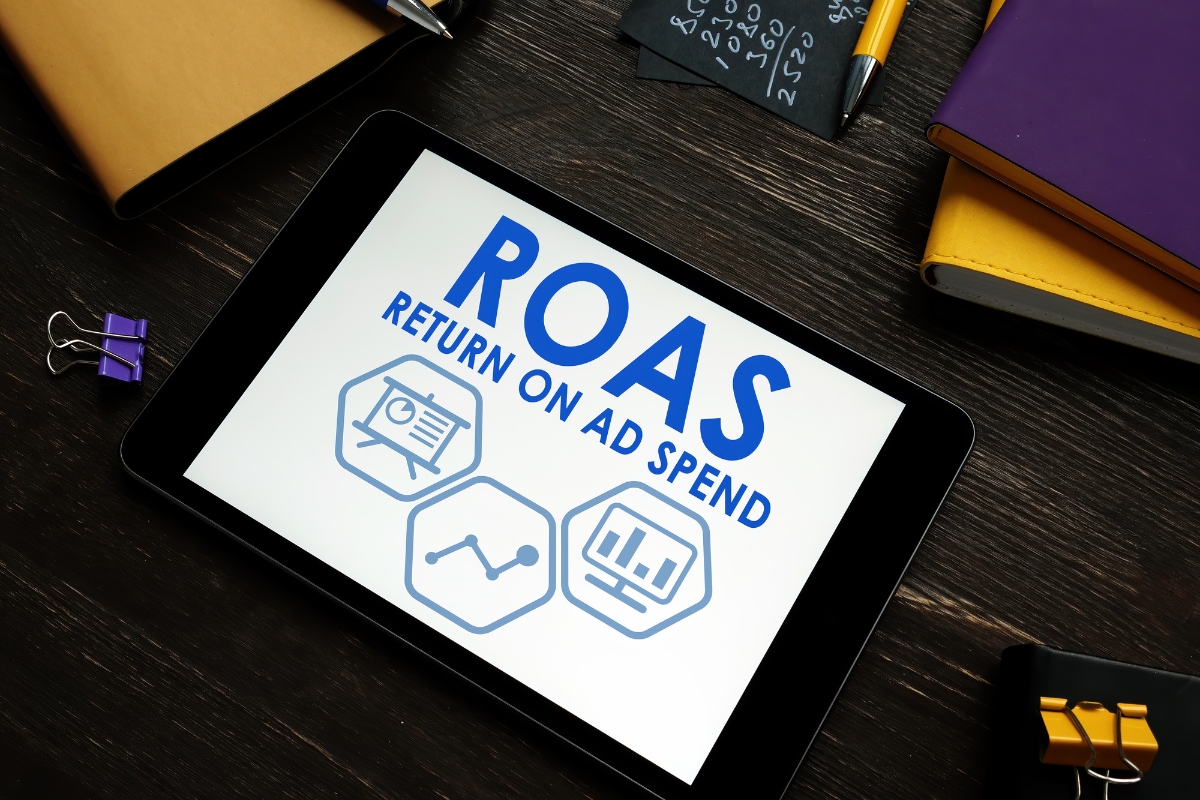
- Target ROAS – Aims for target return on ad spend
- Maximise Clicks – Drives maximum traffic within budget
When to Use Automated Bidding
- After collecting at least 30 conversions in past 30 days
- For scaling successful campaigns
- When you want to leverage Google’s machine learning
- For accounts with consistent conversion patterns
Limitations of Automated Bidding
- Requires sufficient conversion data to work effectively
- Less direct control over individual bids
- May take time for algorithms to optimise
Choosing the Right Bidding Strategy
- New accounts should begin with manual CPC to establish baseline performance
- Established accounts with conversion data should test automated strategies
- E-commerce businesses often benefit from Target ROAS
- Lead generation campaigns typically use Target CPA
Key Recommendations
- Start with manual bidding when launching new campaigns
- Transition to automated bidding after collecting sufficient data
- Monitor performance weekly regardless of strategy
- Adjust targets based on seasonal trends and business goals
For professional assistance with your Google Ads strategy, contact our team for a free campaign audit.
by Lynn Dreyer | Aug 5, 2025 | Insights and Trends
6 Google Ads Mistakes Small Businesses Make (And How to Avoid Them)

Small businesses often face challenges with Google Ads because of limited budgets and expertise. Avoiding these 6 Google Ads mistakes can help maximise your ad spend and boost ROI.
Common Google Ads Mistakes & How to Fix Them
1. Delaying Getting Started Due to Overwhelm
Mistake: Spending too much time on research without launching any campaigns.
Fix: Start small, learn fast. Real optimisation happens with live data. Set a clear goal (e.g., leads or sales), launch with a modest budget (R200-R400/day), and refine as you go.
2. Setting Unrealistically Low Budgets
Mistake: Expecting big results from R20/day budgets.
Fix: Start with at least R200-R400/day to gather meaningful data. High-competition industries (e.g., lawyers, plumbers) need higher budgets.
3. Ignoring Negative Keywords
Mistake: Wasting money on irrelevant searches (e.g., a plumber getting clicks for “DIY plumbing hacks”).
Fix: Regularly update negative keywords to exclude non-converting searches. This improves click quality and ROI.
4. Focusing Only on Clicks, Not Conversions
Mistake: Celebrating high click-through rates (CTR) without tracking sales or leads.
Fix: Track conversions (CPA & ROAS). Optimise for actions that drive revenue, not just clicks.
5. Bidding on Every “Relevant” Keyword
Mistake: Adding broad keywords without considering buyer intent.
Fix: Target high-intent commercial keywords (e.g., “buy custom closets” vs. “Ikea closet reviews”).
6. Avoiding High-Cost Keywords Too Soon
Mistake: Assuming expensive keywords aren’t worth it.
Fix: Test high-intent keywords—they often bring higher-value customers. Just ensure your ROAS justifies the cost.
Key Takeaway
Avoiding these Google Ads mistakes helps small businesses stretch budgets further and get better results. Start small, track conversions, and refine based on data.
Need expert help? Contact SEO Partners for a free Google Ads audit.